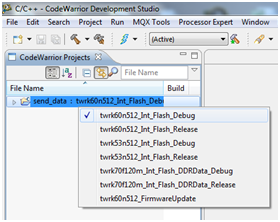
To build the project you must first select the build configuration. There are two different build configurations per Tower Kit:
There is an extra build configuration, twrk60n512_FirmwareUpdate. This configuration is used to add full firmware update support to TWRK60N512 boards. To learn more about this feature, see the Firmware Update chapter.
Changing the build configuration can be done by clicking on the project in the CodeWarrior Project list (click on the Build Configuration’s name, i.e. twrk60n512_Int_Flash_Debug not the project name) and then selecting the desired configuration from the combo box.
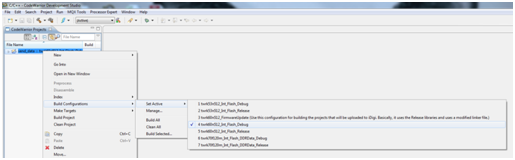
Note: This can also be done by right-clicking on the project and selecting Build Configurations > Set Active >….
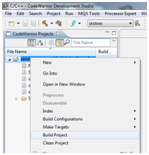
Build your project by clicking the hammer ( ) icon and wait until the build process finished. If you configured everything correctly you should not get any errors. Optionally, you can right-click the project and select Build Project, rather than clicking the icon.
Once the build succeeds, you can proceed by debugging the project or launching it.